



Adaptive Resilience Intelligence
Saskatchewan-built. Designed for organizations everywhere.
Saskatchewan-built. Designed for organizations everywhere.
© 2026 Prairnova Technologies Inc.
Saskatchewan, Canada
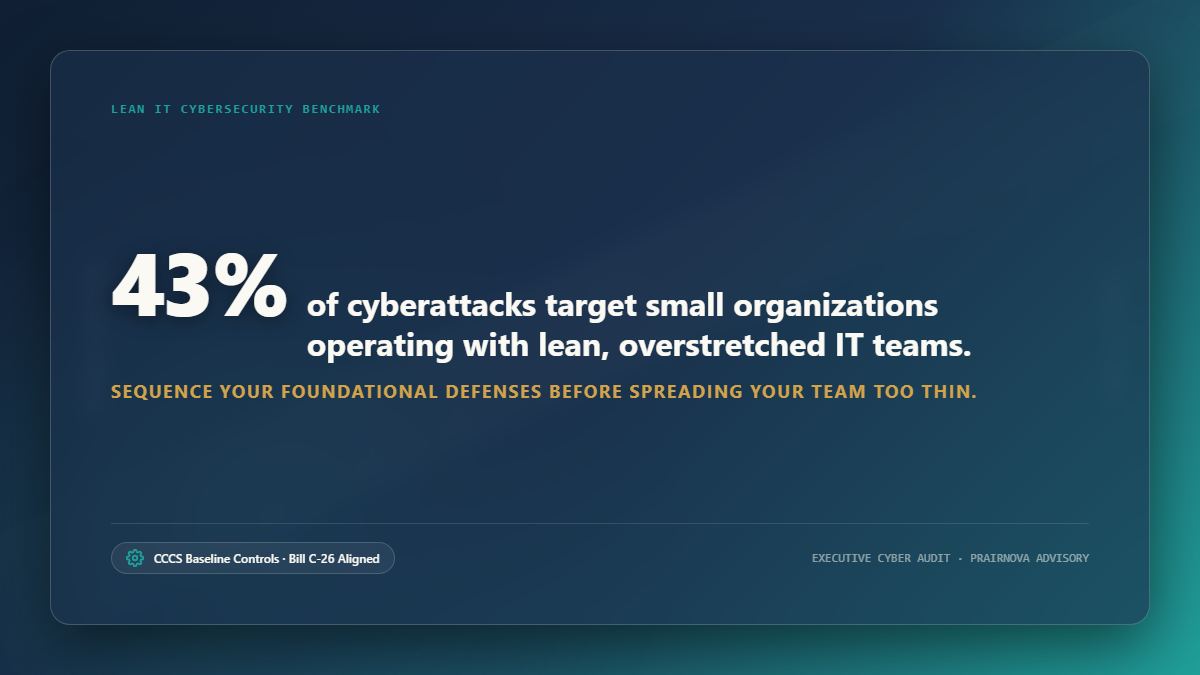
A vendor rep sent over a quote last week for a third-party email security add-on. Not expensive, relatively speaking, maybe $4 a seat a month. But you've got 85 staff spread across three departments, and a budget meeting with council on Thursday. Before you forward it to finance, you pull up your tenant's Defender for Office 365 configuration just to compare feature sets.
It's already there. Anti-phishing policies, Safe Links, Safe Attachments, all bundled into the E3 license you're already paying for. Half of it isn't even switched on. That gap hurts.
This scene repeats itself constantly across small municipal and First Nations IT shops on the Prairies. A 1 to 3 person team, stretched thin across network admin, help desk, and vendor management, gets pitched another tool to fix a problem Microsoft already sold them the solution for. The tool gets bought because nobody has three uninterrupted hours to go configure Conditional Access policies properly. (And frankly, nobody has three uninterrupted hours for much of anything these days.) That's not a knock on the team. Lean IT just runs the numbers that way. But it's expensive arithmetic, and it compounds every renewal cycle.
Before the next purchase order goes out, there's a shorter, cheaper path: audit what you already own.
E3 and E5 licenses carry a lot more security weight than most organizations ever use. E3 includes Defender for Office 365 Plan 1, Azure AD (Entra ID) Conditional Access at a basic tier, and Purview's foundational compliance tools. E5 layers on Defender for Endpoint, Defender for Cloud Apps, Identity Protection with risk-based policies, and the full Purview DLP and eDiscovery suite.
Most organizations never actually map what they're entitled to against what's configured. That gap isn't usually intentional. Configuring these tools properly takes specialized knowledge, and a 2-person IT shop rarely has the hours to build it. The pattern is well documented across the industry: teams default to buying a third-party point solution because it comes with a sales engineer and an onboarding call, while the native M365 equivalent sits behind a dense Microsoft documentation page and a steep learning curve.
Run a quick gap check before any new purchase. Pull your current license SKU (E3, E5, Business Premium) and list what security features are bundled in but sitting unconfigured. Compare that list against whatever the vendor pitch claims to solve. If there's more than 60% overlap, that's your answer. Configure first, buy second.
Third-party tools still have a place later. Sequencing the spend correctly is what matters first. The Microsoft 365 Security Documentation is dense, sure, but it's also free, and it belongs as the first stop before any procurement conversation.
For municipal networks still thinking of security as a wall at the network edge, this is the shift that actually matters. Staff work from home. Field crews pull up systems from tablets at pump stations. Council members check email from personal phones. The old network boundary doesn't exist anymore. Identity is the control plane now.
Conditional Access policies are the single highest-leverage control available in M365, and they're frequently left half-built. A common pattern: MFA gets enabled tenant-wide (good), but there's no distinction between a help desk login from the office and an admin login from an unmanaged device three provinces away (not good). Administrative roles deserve tighter Conditional Access scrutiny than standard user accounts, full stop. If a Global Admin account can authenticate from anywhere, on any device, with just a password and a push notification, that's a gap worth closing this month. Not next budget cycle.
The Canadian Centre for Cyber Security (CCCS) lists multi-factor authentication among its Top 10 IT Security Actions for good reason. It's cheap. It's already licensed. And it closes the single most common entry point attackers use. Identity Protection, available at E5 or as an add-on, extends this further by scoring sign-in risk and triggering automatic step-up authentication or outright blocks. Running E3 without the add-on? At minimum, verify that baseline Conditional Access policies block legacy authentication, still one of the most exploited gaps in municipal tenants running older line-of-business apps that never got updated to modern auth.
Phishing remains the dominant initial access vector across nearly every threat intelligence report Microsoft and CCCS publish. Defender for Office 365 handles anti-phishing, anti-spam, and anti-malware filtering, and E5 adds Safe Links and Safe Attachments with detonation sandboxing on top. The tool isn't weak. Default policies just get left at Microsoft's baseline settings, which are conservative by design so mail flow doesn't break out of the box.
A few things worth checking directly: anti-phishing policy thresholds (is impersonation protection actually configured for your executive team and council members, or just sitting at default?), Safe Attachments policy scope (does it cover SharePoint and Teams file shares, or only email?), and quarantine notification settings (are staff actually seeing what's getting caught, or is everything silently dropped with zero visibility for the IT team to learn from?).
For a small shop fielding phishing complaints every week, this review alone can cut a meaningful amount of noise before anyone evaluates another email security product.
This is where Canadian public sector context diverges sharply from generic security advice. Municipalities and First Nations organizations operate under provincial privacy legislation, FOIP in Saskatchewan and Alberta, FIPPA in Ontario, ATIPPA in Nova Scotia, and equivalents elsewhere, and increasingly under the shadow of Bill C-26, which introduces new cybersecurity reporting obligations tied to critical infrastructure. Water systems, emergency dispatch, and utility billing platforms run by municipalities can all fall into scopes that regulators are actively expanding.
Microsoft Purview's Data Loss Prevention and eDiscovery tools, built into E3 and E5 at varying depth, matter directly here. DLP policies can flag or block sensitive data, SIN numbers, financial records, health information, from leaving the tenant through email or file sharing. eDiscovery supports the records retention and legal hold obligations that FOIPPA-style legislation requires. Most organizations we see have never configured a single DLP policy, despite paying for the capability the whole time. That's real money left on the table.
Data residency is a related but separate conversation. Canadian tenants generally have the option to confirm Canadian data center regions for core M365 workloads, which matters directly for provincial privacy compliance conversations with your municipal solicitor or privacy officer. Confirm it once, document it, and keep that documentation on file. It saves a scramble later when an auditor or the Office of the Privacy Commissioner of Canada comes asking during a complaint investigation.
Staff sign up for free tools constantly. A department manager starts pushing planning documents through a personal Dropbox account because the shared drive permissions were too restrictive, or too confusing, to sort out on a deadline. (This friction is almost always a permissions problem, not a malice problem. Give a department something clunky and a deadline, and they'll find a workaround that actually works.) Permissions don't fix themselves.
Defender for Cloud Apps, part of E5 or available as a standalone add-on, gives visibility into exactly this kind of shadow IT activity: which cloud apps staff are actually using, what data is flowing through them, and where to apply policy controls. For organizations evaluating a third-party Cloud Access Security Broker product, check this first. The native tool already integrates with your existing Conditional Access and DLP policies instead of handing you a separate console and a separate set of logs to babysit.
This is a sequencing model, not a mandate. Every tenant looks different, and your actual order depends on what's already configured versus what's been sitting dormant for two budget cycles.
Month 1 usually boils down to identity triage: an MFA enforcement audit, legacy auth blocking, and Conditional Access scoping tightened specifically for admin accounts. This is the highest-impact, lowest-cost work on the table, and it lines up directly with the CCCS Top 10 IT Security Actions.
By Month 2, attention shifts toward Defender for Office 365 policy tuning, anti-phishing thresholds, Safe Links and Safe Attachments scope, alongside a first-pass Purview DLP policy for whichever data category carries the most risk.
Months 3 and 4 tackle Defender for Cloud Apps visibility (if it's licensed) and a documented data residency and retention review tied to provincial privacy obligations and any emerging Bill C-26 reporting requirements relevant to the critical infrastructure systems you operate.
After that, the work settles into a quarterly rhythm: reviewing sign-in risk reports, adjusting DLP false positives, and reassessing whether any third-party tool gap still exists now that the native stack is actually configured.
This runs longer than a single weekend, and it stays realistic, ongoing work for a team that's already stretched thin, exactly the kind of work that gets deprioritized when the alert queue is full and the phone's ringing about a printer. That's a legitimate constraint. It isn't a planning failure.
The hardest part of this whole exercise usually isn't technical. It's prioritization under alert fatigue. A 2-person team staring at Secure Score recommendations, Defender alerts, and a compliance checklist all at once hits real decision paralysis fast: which gap matters this week, and which one can wait a quarter without meaningful risk exposure?
This is the problem space Adaptive Resilience Intelligence (ARI) is built to address. instead of piling another alert feed onto an already noisy environment, ARI translates the evidence already sitting inside your existing security tools, native M365 Secure Score, Defender signals, Purview compliance data, into a clearer, ranked set of priorities. It layers decision support over what you already own and leaves the Microsoft tools themselves fully intact. It gives leadership a way to see verifiable improvement over time instead of a static snapshot that goes stale the day after the assessment.
For lean teams, that clarity matters more than almost any additional sensor or log source ever could. The constraint was never visibility. It was deciding what to do first with the visibility already sitting in the tenant.
None of this means native M365 tools cover everything. Real gaps exist: advanced SIEM correlation across non-Microsoft infrastructure (this is where a Sentinel deployment or a dedicated SIEM still earns its keep), specialized OT/SCADA security for water and utility systems, dedicated backup and disaster recovery outside the M365 ecosystem for ransomware resilience. Frameworks like NIST SP 800-53 and the CIS Controls earn their keep here precisely because they force a structured gap assessment instead of a reactive one driven by whoever called last.
Run a simple test before any purchase. Can this specific control be achieved, even imperfectly, with what's already licensed? If yes, configure it and measure the result before spending anything new. If no, that's a legitimate procurement conversation, and a much easier one to defend to council or band leadership when it's backed by a documented gap instead of a vendor's slide deck.
Municipal and First Nations IT budgets don't get second chances mid-cycle. Every dollar spent on a redundant tool is a dollar that isn't available for the gap that actually needs it, whether that's endpoint coverage for field devices, backup resilience, or the staff training hours that make MFA enforcement stick instead of flooding the help desk with tickets for a month straight.
Running this kind of review doesn't require a consultant engagement to get started. That said, for a Conditional Access and Purview configuration pass done right, external support focused on Microsoft Cloud solutions architecture and governance can shave months off the trial and error. Either way, the sequence holds: audit what's licensed, configure it properly, measure what's left, and only then look outward. A broader Microsoft Cloud solutions review makes sense once that internal audit is done, since it puts license tier decisions and security tooling gaps on the same table instead of treating them like separate budget lines.
The invoice on your desk this Thursday might still be worth signing. But it's worth five minutes in the Microsoft 365 admin center first, just to find out if you already paid for it.
Let's explore what's possible — together.
