
Solutions › Microsoft Cloud & Modern Work

Get more from Microsoft. Securely.

Prairnova helps organizations secure, simplify and get more value from Microsoft across identity, devices, security, information, collaboration and AI readiness.

Blue shield outline with a checkmark inside representing security or protection.
Microsoft-first advice, guided by your requirements, not a product quota.
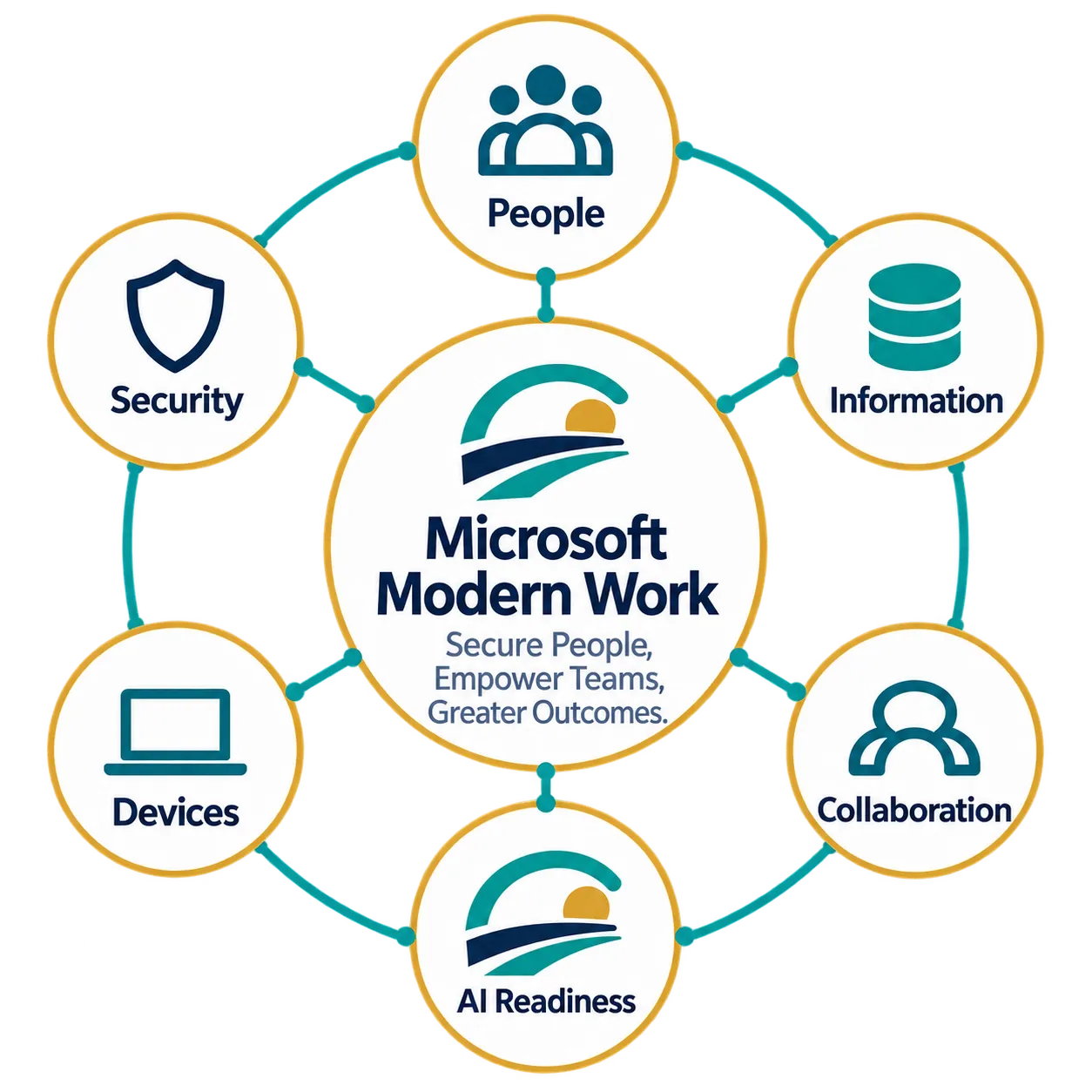
Diagram titled Microsoft Modern Work with slogan Secure People, Empower Teams, Greater Outcomes, surrounded by circles labeled People, Information, Collaboration, AI Readiness, Devices, and Security, each with corresponding icons.
Microsoft logo consisting of four colored squares arranged in a 2x2 grid: red top-left, green top-right, blue bottom-left, and yellow bottom-right.
Microsoft-first, not Microsoft-only.
We use Microsoft capabilities where they provide the right security, productivity and business value. Where they do not, we recommend specialist solutions that do.
Blue shield outline with a checkmark inside representing security or protection.
Secure by foundation
‍
‍Identity, devices, information and access are designed securely from the start.
Blue icon of two user profiles side by side, representing multiple users or a group.
Business-led architecture
‍
‍Technology choices follow organizational needs, not product quotas.
Blue target icon with an arrow hitting the center circle.
Measurable value
‍
‍Existing investments are optimized before additional technology is introduced.
Secure Microsoft Foundation

Build what comes next on a secure foundation.

Blue user icon with a circular head and rounded shoulders.
01
Identity
Strengthen access everywhere.
Three stacked blue layers resembling sheets or documents, with rounded corners, viewed at an angle.
Devices
Enable and protect modern work.
02
Blue shield outline with a checkmark inside representing security or protection.
Security
Detect, prevent and respond faster.
03
Blue database icon showing a stack of cylindrical disks representing data storage.
Information
Protect and govern your data.
04
Blue icon of two user profiles side by side, representing multiple users or a group.
Collaboration
Help teams work safely.
05
Blue lightning bolt icon with a thick outline and sharp angles.
AI Readiness
Prepare for practical adoption.
06

Modernize the Microsoft environment you already have.

Connect identity, endpoint security, data governance and collaboration, then add AI from a position of control.

Blue shield outline with a checkmark inside representing security or protection.
Secure Identity & Access
Protect access with modern authentication, Conditional Access, privileged access and identity governance.

Microsoft Entra ID • Conditional Access • MFA • PIM • Identity Governance
Three stacked blue layers resembling sheets or documents, with rounded corners, viewed at an angle.
Modern Device Management
Secure, configure and manage devices from anywhere while giving employees a consistent and productive work experience.
‍
Microsoft Intune • Windows Autopilot • Endpoint Analytics • Windows 11
Blue lightning bolt icon with a thick outline and sharp angles.
Integrated Threat Protection
Detect, investigate and respond to threats across identities, devices, email, applications and cloud services.

Microsoft Defender XDR • Defender for Endpoint • Defender for Office 365 • Defender for Identity • Defender for Cloud Apps
Blue outlined equilateral triangle with rounded corners containing a vertical exclamation mark in the center representing a warning or caution symbol.
Information Protection & Governance
Protect sensitive information, reduce data risk and establish practical controls for how information is classified, shared and retained.

Microsoft Purview • Information Protection • Data Loss Prevention • Records Management • Insider Risk Management
Blue icon of two user profiles side by side, representing multiple users or a group.
Secure Collaboration
Enable employees to communicate, collaborate and work securely from anywhere without creating unnecessary complexity.

Microsoft Teams • OneDrive • Microsoft 365 Apps • SharePoint Online
Blue icon of two adjacent modern buildings with multiple rectangular windows.
Content & Intranet Modernization
Transform fragmented files and legacy intranets into structured, searchable and accessible digital workplaces.

Microsoft SharePoint Online • Microsoft Lists • Power Automate • Microsoft Search
Blue target icon with an arrow hitting the center circle.
AI & Copilot Readiness
Prepare your people, data, security and governance so Microsoft Copilot can be introduced responsibly and deliver measurable value.

Microsoft 365 Copilot • Copilot Chat • Microsoft Graph • Purview • Entra • SharePoint
Blue outlined five-point star with a hollow center.
Licensing & Cost Optimization
Align Microsoft licensing with actual business needs, eliminate unnecessary spend and maximize the value of existing Microsoft investments.

Microsoft 365 • Office 365 • Enterprise Mobility + Security • Defender • Entra • Power Platform licensing

Choose the starting point that matches your immediate need.

Each engagement creates clarity first, then a practical path forward.

01
Secure Microsoft Foundation
Establish a secure baseline across identity, devices, security, information and collaboration.
02
Modern Work Review
Identify security gaps, user friction, licensing opportunities and underused Microsoft capabilities.
03
Copilot Readiness Assessment
Assess permissions, information governance, security and organizational readiness before deploying Copilot.

Copilot readiness starts before Copilot

Secure identities. Govern information. Clean up permissions. Establish AI governance. Prepare employees. Then scale AI.

Get more value from what you already own.
Technology architecture should determine licensing, not the other way around.
Prairnova evaluates existing Microsoft entitlements first, identifies unused or overlapping capabilities, and recommends additional licensing only where it creates measurable value.
Right-size licensing
Reduce unnecessary complexity
Align investment to business outcomes
Managed Microsoft
Modernization should not end at implementation.
Technology environments continue to change. Users join and leave. Devices change. Microsoft releases new capabilities. Threats evolve. Licences grow.

Managed Microsoft keeps the environment secure, governed and optimized after implementation.
Security & configuration: Maintain secure Microsoft configurations.
Identity & devices: Govern access and endpoint posture.
Information & collaboration: Maintain sharing, governance and lifecycle controls.
Optimization & advisory: Review licensing, adoption and emerging capabilities.

Start with your Microsoft environment.

Understand what's working, where the risks are, what you're already paying for and which improvements will create the most value.

White check mark inside a white circle.
Managed Digital Office
White check mark inside a white circle.
AI Enablement
White check mark inside a white circle.
Cybersecurity
White check mark inside a white circle.
Small IT Teams