
SOLUTIONS

Technology capability for the problems that matter most.

Prairnova helps organizations strengthen cybersecurity, get more from Microsoft, adopt AI responsibly, build stronger workforce capability and make better technology decisions.

Start with the need you have today. Add specialist or managed support where it creates value.

Three stacked blue layers resembling sheets or documents, with rounded corners, viewed at an angle.
Practical by design
Microsoft logo consisting of four colored squares arranged in a 2x2 grid: red top-left, green top-right, blue bottom-left, and yellow bottom-right.
Microsoft-first
Blue shield outline with a checkmark inside representing security or protection.
Security built in
Blue clock icon with a circular arrow wrapping around the top-left side, indicating time or history.
Capability without unnecessary complexity
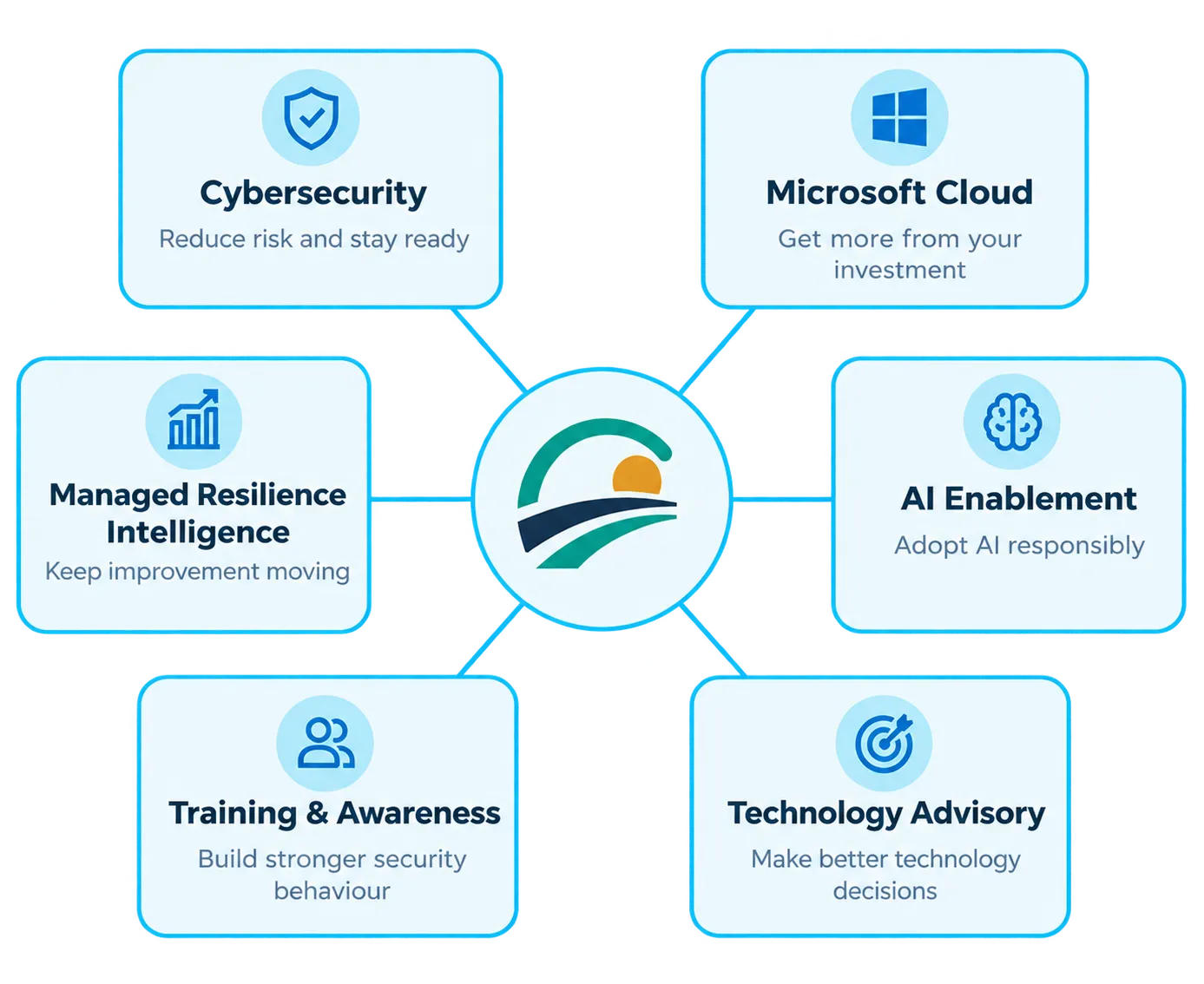
Diagram showing a central logo connected to six topics: Cybersecurity with shield icon and text 'Reduce risk and stay ready'; Microsoft Cloud with window icon and text 'Get more from your investment'; AI Enablement with brain icon and text 'Adopt AI responsibly'; Technology Advisory with target icon and text 'Make better technology decisions'; Training & Awareness with user group icon and text 'Build stronger security behaviour'; Managed Resilience Intelligence with graph icon and text 'Keep improvement moving'.
OUR SOLUTIONS

Start with what you are trying to improve.

You do not need to know the service name before starting. Choose the area that best matches the problem you are trying to solve.

Blue ascending bar chart with three vertical bars increasing in height from left to right and a line graph with an arrow pointing upward representing growth or progress.
Managed Resilience Intelligence
Keep resilience improvement moving.
Combine Adaptive Resilience Intelligence with recurring expert support to maintain focus, review priorities and keep improvement work moving.
Blue check mark inside a blue circle.
Ongoing priority review
Blue check mark inside a blue circle.
Clearer ownership
Blue check mark inside a blue circle.
Improvement planning
Blue check mark inside a blue circle.
Recurring outcome review
Blue shield outline with a checkmark inside representing security or protection.
Cybersecurity
Understand risk. Strengthen what matters. Stay ready.
Build practical cybersecurity capability around your organization’s risk, operating environment and internal capacity.
Blue check mark inside a blue circle.
Cybersecurity assessment
Blue check mark inside a blue circle.
Microsoft security improvement
Blue check mark inside a blue circle.
Managed security
Blue check mark inside a blue circle.
Incident readiness
Blue check mark inside a blue circle.
Fractional security leadership
Blue check mark inside a blue circle.
Specialist support
Microsoft logo consisting of four colored squares arranged in a 2x2 grid: red top-left, green top-right, blue bottom-left, and yellow bottom-right.
Microsoft Cloud & Modern Work
Get more from Microsoft. Securely.
Strengthen identity, devices, security, information, collaboration and AI readiness while getting more value from Microsoft investments you may already own.
Blue check mark inside a blue circle.
Identity and access improvement
Blue check mark inside a blue circle.
Device management
Blue check mark inside a blue circle.
Microsoft security
Blue check mark inside a blue circle.
Information governance
Blue check mark inside a blue circle.
Collaboration modernization
Blue check mark inside a blue circle.
Copilot readiness
Blue check mark inside a blue circle.
Licensing optimization
Stylized blue brain icon with two symmetrical halves separated by a vertical line and three short lines inside each half representing brain folds.
AI Enablement & Governance
Move from AI experimentation to responsible adoption.
Build practical governance, security, readiness and workforce capability so AI can be used confidently without losing accountability.
Blue check mark inside a blue circle.
AI readiness assessment
Blue check mark inside a blue circle.
Governance and policies
Blue check mark inside a blue circle.
Copilot readiness
Blue check mark inside a blue circle.
Responsible AI controls
Blue check mark inside a blue circle.
Agent governance
Blue check mark inside a blue circle.
Workforce enablement
Blue icon of two user profiles side by side, representing multiple users or a group.
Training & Awareness
Build safer habits and stronger everyday decisions.
Move beyond annual compliance training toward practical learning, reinforcement and measurable improvement in workforce security behaviour.
Blue check mark inside a blue circle.
Security awareness
Blue check mark inside a blue circle.
Phishing simulation
Blue check mark inside a blue circle.
Role-based learning
Blue check mark inside a blue circle.
Micro-learning
Blue check mark inside a blue circle.
Leadership briefings
Blue check mark inside a blue circle.
Behaviour improvement
Blue target icon with an arrow hitting the center circle.
Technology Advisory
Make better technology decisions with experienced guidance.
Bring additional leadership, structure and specialist judgment to important technology decisions without adding unnecessary permanent overhead.
Blue check mark inside a blue circle.
Technology strategy
Blue check mark inside a blue circle.
Roadmap development
Blue check mark inside a blue circle.
Governance
Blue check mark inside a blue circle.
Modernization planning
Blue check mark inside a blue circle.
Technology decision support
Blue check mark inside a blue circle.
Fractional leadership

The problem rarely fits neatly inside one technology category.

A Microsoft modernization initiative may also require cybersecurity, governance, training and AI readiness.

Prairnova brings the right capabilities together around the outcome instead of forcing you to manage a collection of disconnected engagements.

Blue shield outline with a checkmark inside representing security or protection.
Cybersecurity
Reduce risk and stay ready
Microsoft logo consisting of four colored squares arranged in a 2x2 grid: red top-left, green top-right, blue bottom-left, and yellow bottom-right.
Microsoft Cloud
Modernize and get more value
Stylized blue brain icon with two symmetrical halves separated by a vertical line and three short lines inside each half representing brain folds.
AI Enablement
Use AI responsibly and confidently
Blue icon of two user profiles side by side, representing multiple users or a group.
People & Training
Build capability and stronger behaviour
Blue gear or cogwheel icon with eight teeth and a circular hole in the center.
Technology Advisory
Get experienced guidance
Blue ascending bar chart with three vertical bars increasing in height from left to right and a line graph with an arrow pointing upward representing growth or progress.
Stronger Organizational Capability
NOT SURE WHERE TO START?

Choose the area that matches your current need.

Identify the problem you want to solve and we’ll help you find the right starting point.

Blue shield outline with a checkmark inside representing security or protection.
Secure
Strengthen cybersecurity and reduce material risk.
Start with Cybersecurity
Microsoft logo consisting of four colored squares arranged in a 2x2 grid: red top-left, green top-right, blue bottom-left, and yellow bottom-right.
Modernize
Improve your Microsoft environment and digital workplace.
Start with Microsoft Cloud
Stylized blue brain icon with two symmetrical halves separated by a vertical line and three short lines inside each half representing brain folds.
Enable AI
Prepare your organization to use AI responsibly.
Start with AI Enablement
Blue icon of two user profiles side by side, representing multiple users or a group.
Strengthen People
Improve awareness, behaviour and workforce capability.
Start with Training & Awareness
Blue target icon with an arrow hitting the center circle.
Get Direction
Clarify priorities, strategy or major technology decisions.
Start with Technology Advisory
Blue ascending bar chart with three vertical bars increasing in height from left to right and a line graph with an arrow pointing upward representing growth or progress.
Keep Improvement Moving
Add recurring intelligence and expert support.
Start with Managed Resilience
PRODUCT + EXPERTISE

Software creates continuity. Expertise helps where judgment is needed.

Adaptive Resilience Intelligence is Prairnova’s flagship product. Our solutions provide specialist capability where organizations need help assessing, designing, implementing, governing or improving their technology environment.

Blue ascending bar chart with three vertical bars increasing in height from left to right and a line graph with an arrow pointing upward representing growth or progress.
ARI
Persistent intelligence
Blue icon of two user profiles side by side, representing multiple users or a group.
Prairnova Solutions
Specialist capability and experience
Blue icon of two user profiles side by side, representing multiple users or a group.
Your Team
Context and accountability
Blue ascending bar chart with three vertical bars increasing in height from left to right and a line graph with an arrow pointing upward representing growth or progress.
Better decisions and stronger organizational capability.
BUILT FOR THE ORGANIZATIONS WE SERVE

Practical value for real-world teams.

We work with organizations where technology matters but specialist capacity is limited. Our solutions are designed to be practical, right-sized and built for real-world environments.

You don’t need to know which solution you need.

Tell us what you’re trying to improve. We’ll help determine whether Prairnova can help and what the most useful starting point may be.

White check mark inside a white circle.
Practical conversations
White check mark inside a white circle.
Right-sized capability
White check mark inside a white circle.
Clear ownership
White check mark inside a white circle.
Stronger organizations